Photo → AI art → 3D print
Launching soonPhoto → AI art → 3D print

Turn your photos into 3D-printed wall art

Upload a photo of the people, pets and places you love. We turn it into a one-line doodle or a colour painting, then into a real 3D model: STL, 3MF and STEP files, ready for your 3D printer.

  • No credit card needed
  • 5 free credits at launch
  • Works with Bambu Studio, OrcaSlicer, PrusaSlicer and Cura
  • Credits never expire
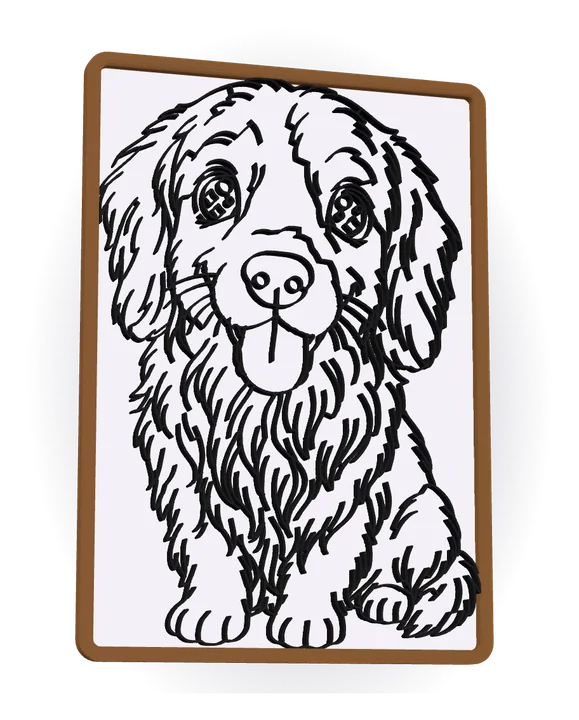
3D Doodle Golden retriever Kawaii chibi style
The printable line drawing of the golden retriever, raised on a white plate in a wooden frame
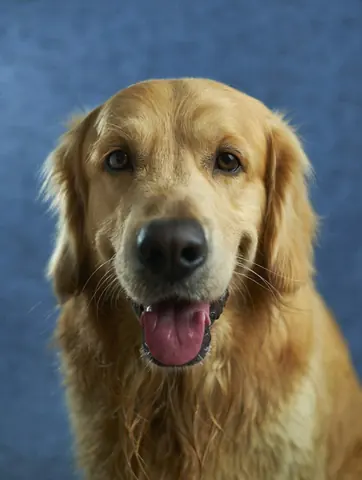
The original photo: a golden retriever
Your photo
  1. 1Photo
  2. 2AI drawing
  3. 33D model

Real results

Made from real photos

Every piece below is a real 3D model, made from an ordinary photo, a drawing or a few words. Hover over a piece, or tap it, to see where it started.

Photos: Unsplash (free to use). The drawings, paintings, layered pieces, signs, cookie cutters and figures are real results.
Works with the slicer you already use: Bambu StudioOrcaSlicer PrusaSlicerCura Any FDM printer

Six ways to make it

Pick the look you love

Start from a photo, a drawing or a few words and end with a real 3D model you print yourself: raised lines, a filament painting, stacked sheets of colour, a sign, a cookie cutter or a collectible figure.

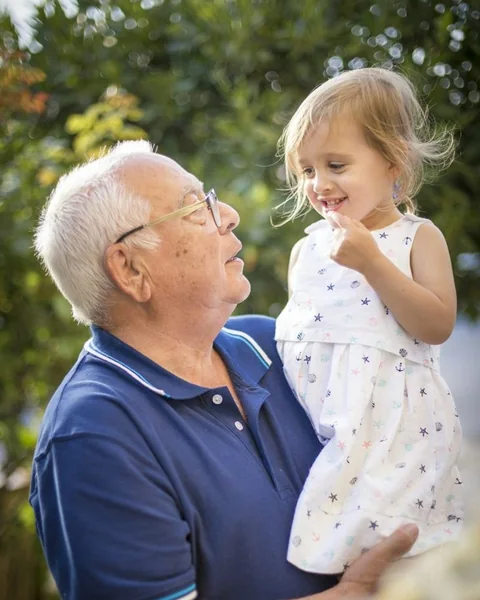
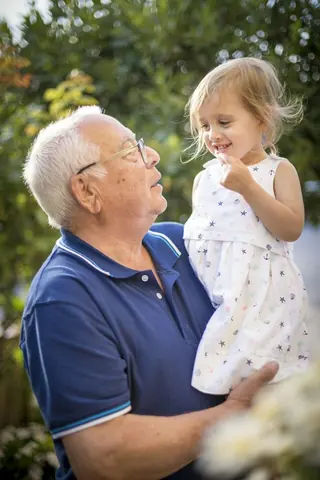
Photo of a grandfather holding his laughing granddaughter
Photo
The same photo as a 3D Doodle: a printable 3D model with raised lines in a frame3D model · drag to turn
3D Doodle Coming soon

One-line art that pops off the wall

Our AI redraws your photo as a clean line drawing. We turn it into raised lines on a plate, with a frame, ready to print.

  • 130+ styles: classic doodle, chibi, superheroes, pirates, or describe your own
  • Pick the frame, size, line thickness and colours, and see it in 3D
  • Download STL, 3MF or STEP: the whole piece, or parts for multi-colour prints
3 credits per AI drawing Make a 3D Doodle See the demo
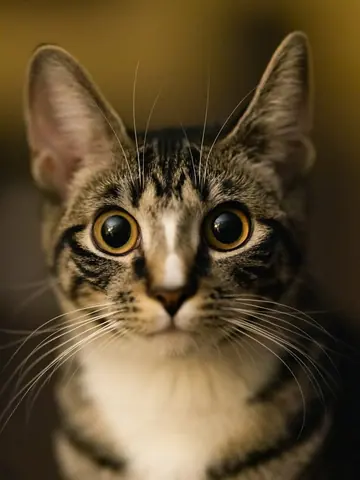
Photo of a tabby kitten
Photo
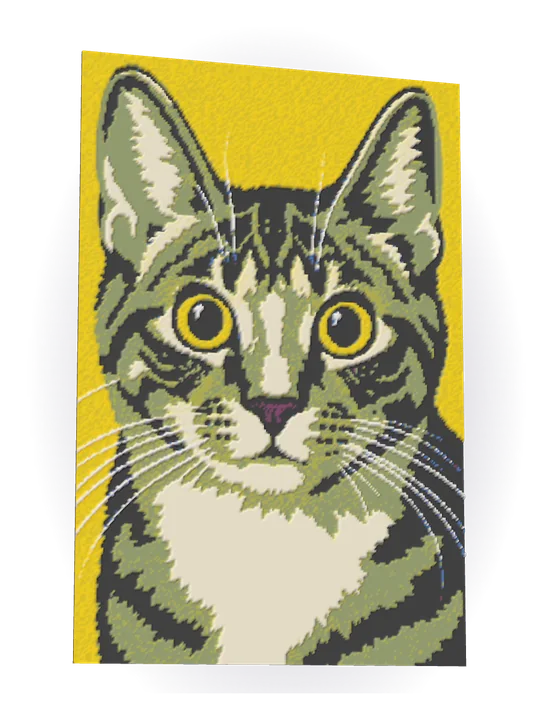
The kitten as a 3D Paint model: a relief printed in layers of filament3D model · drag to turn
3D Paint Coming soon

A colour painting made of filament

Thin layers of translucent filament blend into new colours. Our own layer planner works out every layer for the spools you own.

  • Let the AI paint it first: pop art, poster, comic or gouache
  • Works with Bambu Lab Basic, CMYK sets or your own filaments
  • Get the filament swap list, AMS slots, STL, 3MF and STEP files
5 credits per AI painting Make a 3D Paint See the demo
Photo of a golden retriever
Photo
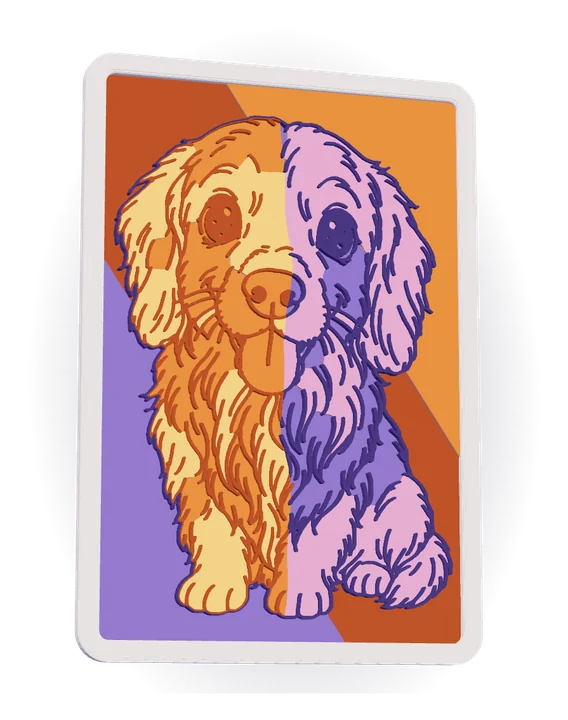
The same dog as 3D Layers: stacked sheets of colour, split into two colour families3D model · drag to turn
3D Layers Premium

Our richest piece: doodle art in layers of colour

A detailed doodle of your photo, filled with your spool colours and printed in stacked layers, the lines raised on top. Our most striking piece for the wall.

  • Six palette styles: photo colours, pastel, duotone, pop art, rainbow split and colour spots
  • Pick the colours from your own spools: each colour is its own sheet
  • Auto colour swap, or a few filament changes by hand
7 credits per AI artwork Make a 3D Layers
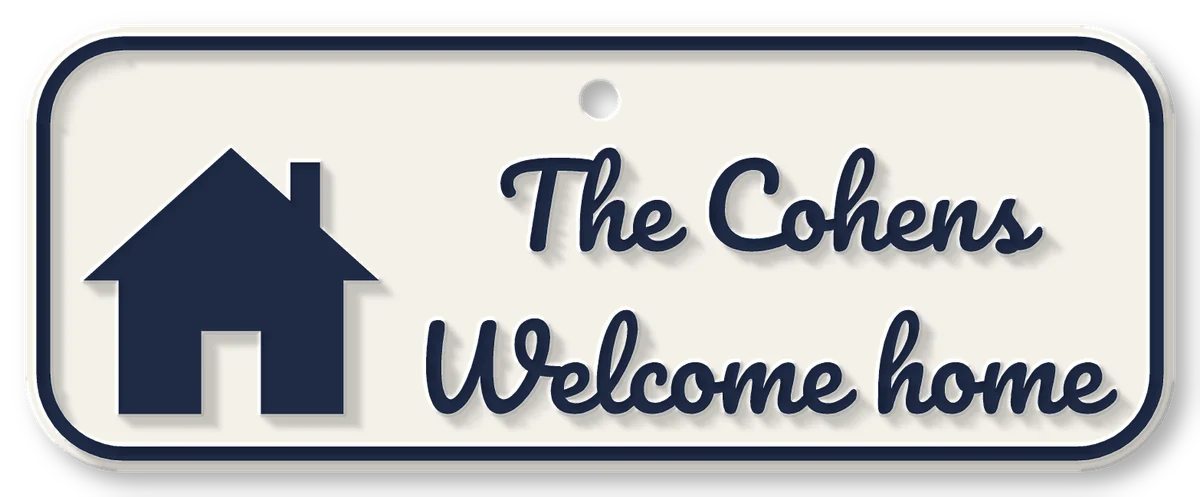
A 3D Sign: the words The Cohens, Welcome home in raised script letters with a house icon, on a cream plate
3D Sign New

Names and signs in raised letters

Type a name or a greeting, or start from a ready design: raised letters on a plate, a cake topper or a keychain, with a pattern, a scene or your own drawing, ready to print.

  • Twelve letterings, from script to tall capitals: Latin, Hebrew, Arabic, Cyrillic and Hindi letters
  • Door signs, desk plates, cake toppers and keychains, with patterns, scenes, borders and a drawing of your pet
  • Every colour a layer of its own: any printer can print it
Designing is free · 2 credit to download Make a 3D Sign
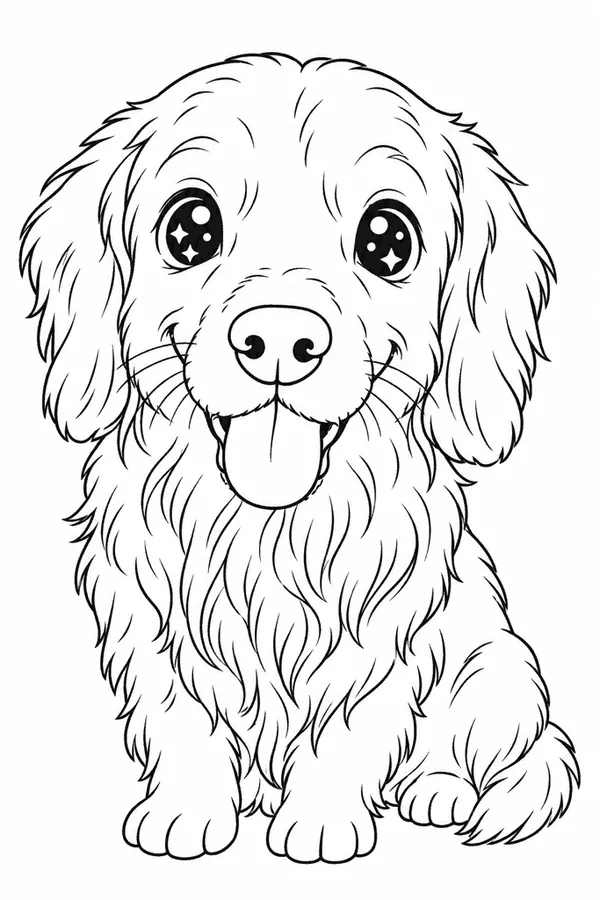
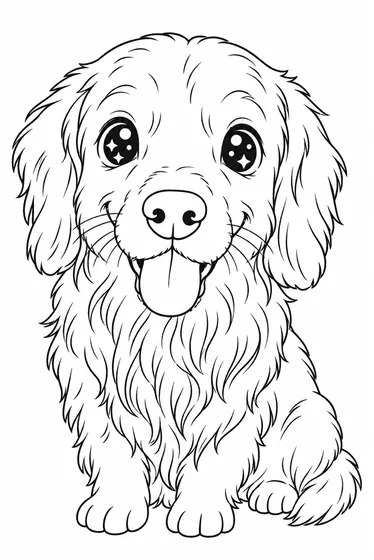
A doodle drawing of a golden retriever
Drawing
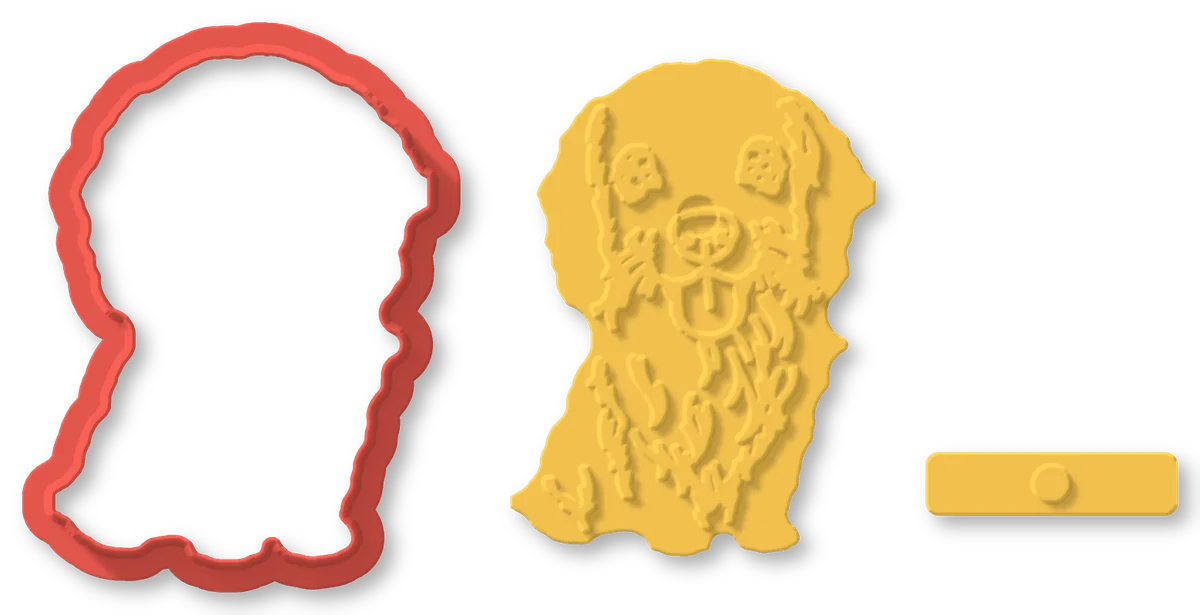
The dog as a 3D Cookie Cutter: a red cookie cutter in its outline, a yellow stamp with its lines and a handle
3D Cookie Cutter New

Cookie cutters from your drawings

Any doodle becomes a cookie cutter and a stamp that presses the drawing into the dough. Bake your pet, a portrait or your child's drawing.

  • Free from your 3D Doodle drawings or your own drawing, or let the AI draw a photo
  • A cutter, a mirrored stamp that reads the right way, and a handle
  • Prints flat without supports, with food-safe printing tips
3 credits per AI drawing · free from your doodles Make a 3D Cookie Cutter
Photo of a grandfather with white hair and glasses
Photo
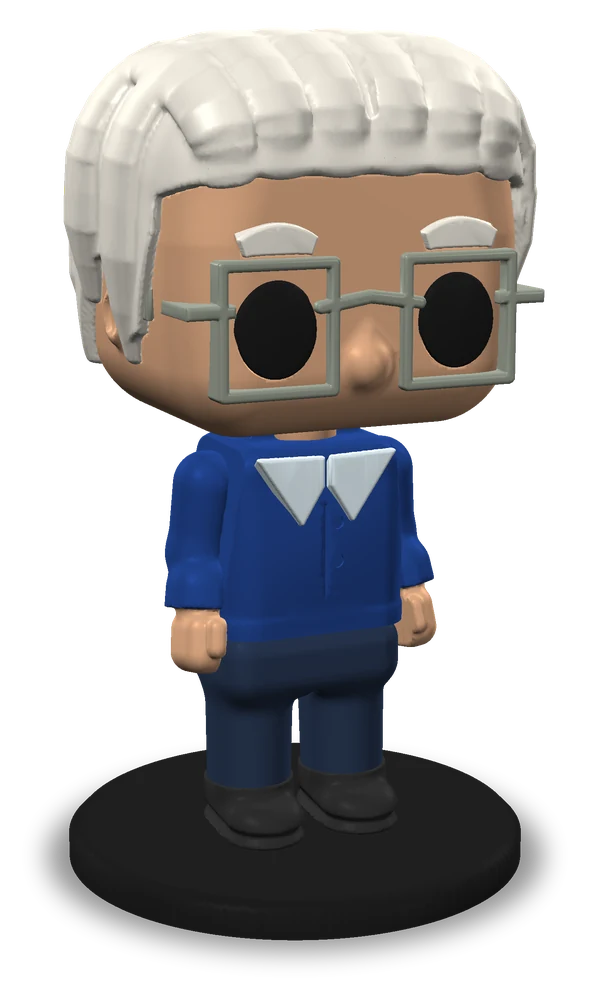
Grandpa as a 3D Figure: a big-head collectible figure with white hair, square glasses and a navy polo shirt, on a round base3D model · drag to turn
3D Figure Premium New

A collectible figure of anyone in your photo

The AI reads the hair, colours, glasses, beard and clothes and designs a big-head figure, a bust or a keychain, pre-cut into parts that any printer can print.

  • Twists: hats, masks, glasses, a cape and more, free to change
  • One colour per part, already turned the right way up: no supports
  • STL, 3MF and STEP, one plate per colour for manual colour swaps
8 credits per figure · then every change is free Make a 3D Figure

How it works

From photo to wall in three steps

  1. 1

    Upload a photo

    Your pet, your family, a place you love. Any photo you have the right to use.

  2. 2

    The AI draws it

    Pick a style and get your drawing or painting in about a minute. Changing the frame, size or colours is free.

  3. 3

    It becomes a 3D model

    We turn it into STL, 3MF and STEP files: raised lines on a plate in a frame, or a painting in layers of filament. Print it and hang it.

Pricing

Pay only for the AI

Start with 5 free credits. Buy a pack when you need more: no subscription, and credits never expire.

10
free credits when you sign upEnough for about 3 AI doodles or 2 AI paintings
AI drawing (3D Doodle)3 credits
AI painting (3D Paint)5 credits
AI tune (3D Paint)6 credits
AI artwork (3D Layers)7 credits
AI picture from your words (any tool)2 credits
AI icon or drawing (3D Sign)3 credits
AI drawing (3D Cookie Cutter)3 credits
AI figure from your photo (3D Figure)8 credits
Downloads for a project made without AI2 credit

Always free: previews, edits, re-renders, and re-downloads of a design you paid for.

Starter
50 credits
$4.99
Buy
Most popular
Creator
120 credits
$9.99
Buy
Best value
Studio
300 credits
$19.99
Buy

Launch prices. Purchases open when ArtLine3D launches.

See full pricing

FAQ

Questions, answered

When can I start?

Very soon. We are putting the finishing touches on ArtLine3D. At launch you sign up in seconds and get 5 free credits to start.

Do I need a 3D printer?

To print the piece, yes: any FDM printer works (Bambu Lab, Prusa, Creality and others). Without a printer you can still make the art, download the files and send them to a friend or a local print service.

Which slicers can I use?

Any slicer: you download standard STL and 3MF files. There are one-click “Open in” buttons for Bambu Studio, OrcaSlicer, PrusaSlicer and Cura, and 3D Paint also gives you a filament swap list and an AMS slot plan.

What is 3D Layers?

3D Layers turns your photo into a doodle line drawing and fills the areas between the lines with your own filament colours. Every colour is printed as its own stacked sheet, like layered cut paper, with the lines raised on top. Six palette styles; recolouring is free. Choose how it looks: stacked layers (one colour per layer, so it prints with manual colour swaps too), flat, or topography with hills and valleys.

What is 3D Figure?

3D Figure turns a photo of a person into a big-head collectible figure, a bust or a keychain. The AI reads the hair, colours, glasses, beard and clothes, and you can add hats, masks, a cape and more for free. It comes as pre-cut parts, one colour each and already turned the right way up, so an ordinary printer, no AMS needed, prints it without supports. 8 credits per figure.

How does 3D Paint work?

3D Paint is our own filament-painting technology, developed in-house. It plans thin layers of translucent filament so they blend into the colours of your picture, using the spools you already own.

Do credits expire?

No. Credits never expire and there is no subscription. Buy a pack only when you need more.

What if the AI fails?

Then you don’t pay for it. If an AI drawing or painting fails, its credits go back to your account automatically, and we tell you when that happens.

What happens to my photos?

They are used only to make your art. We send them to our AI provider (OpenAI) to create the drawing or painting, keep them in your private projects, and delete them when you delete the project or your account. We never sell your photos. Read the privacy policy.

What photos can I use?

Only photos you have the right to use: your own, or ones you have permission for. No nudity or sexual content, nothing that involves minors in a sexual or harmful way, no violence or gore, and no hateful or illegal content. Such photos are refused automatically and your credits come back. See the terms of service.

No photo? Can I describe what I want instead?

Yes. In any tool, choose “Describe it” in step 1 and type what you want to see, in any language. The AI creates a picture for you for 2 credits, and from there everything works just like with a photo. The same content rules apply to what you type.

Can I sell prints of my own photos?

Yes. If you own the photo (or have permission from its photographer and the people in it), you may sell prints you make from it. Styles that imitate famous characters or brands are for personal use only. See the terms of service.

What do I get for free?

5 credits when you sign up, enough for about 3 AI doodles or 2 AI paintings. Previews, edits and re-downloads of a design you paid for are always free.

Your next favourite wall piece is one photo away

Sign up in seconds and get 5 free credits.

ArtLine3D opens soon. At launch, sign up in seconds and get 5 free credits.